Organize the project.
Select the product brand and configure its approved claims, colors, logo, voice, and creative rules.
Video Studio · Creative production
A workspace for organizing video projects, shaping scenes, and preparing campaign variations with review as part of the process.
Why we built it
A video grows through decisions about the idea, scenes, and variations. Video Studio brings those pieces into a project workspace so there is a place to develop the direction and review the material as it takes shape.
Getting started
Select the product brand and configure its approved claims, colors, logo, voice, and creative rules.
Add the available media, enter the audience need or creative direction, and choose the output formats. Ask the director to prepare a campaign draft.
Review and edit the hook, scenes, narration, media choices, and channel copy. Save the campaign for production, then inspect rendered outputs in the review queue.
Inside Video Studio
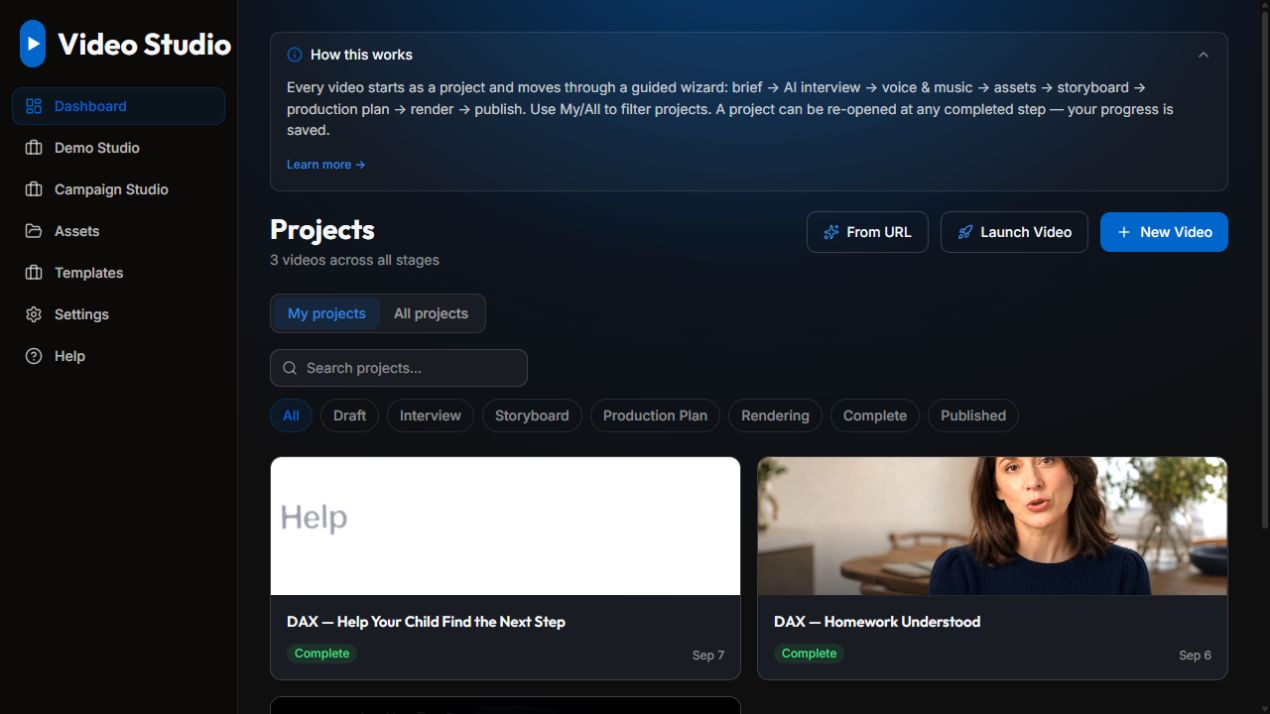
These examples show the workflow of a personal or internal project.
A closer look
A campaign may call for more than one interpretation of an idea. Keeping variations together gives the creative process a place for comparison and revision. The project and campaign views below show the two parts of that workspace.
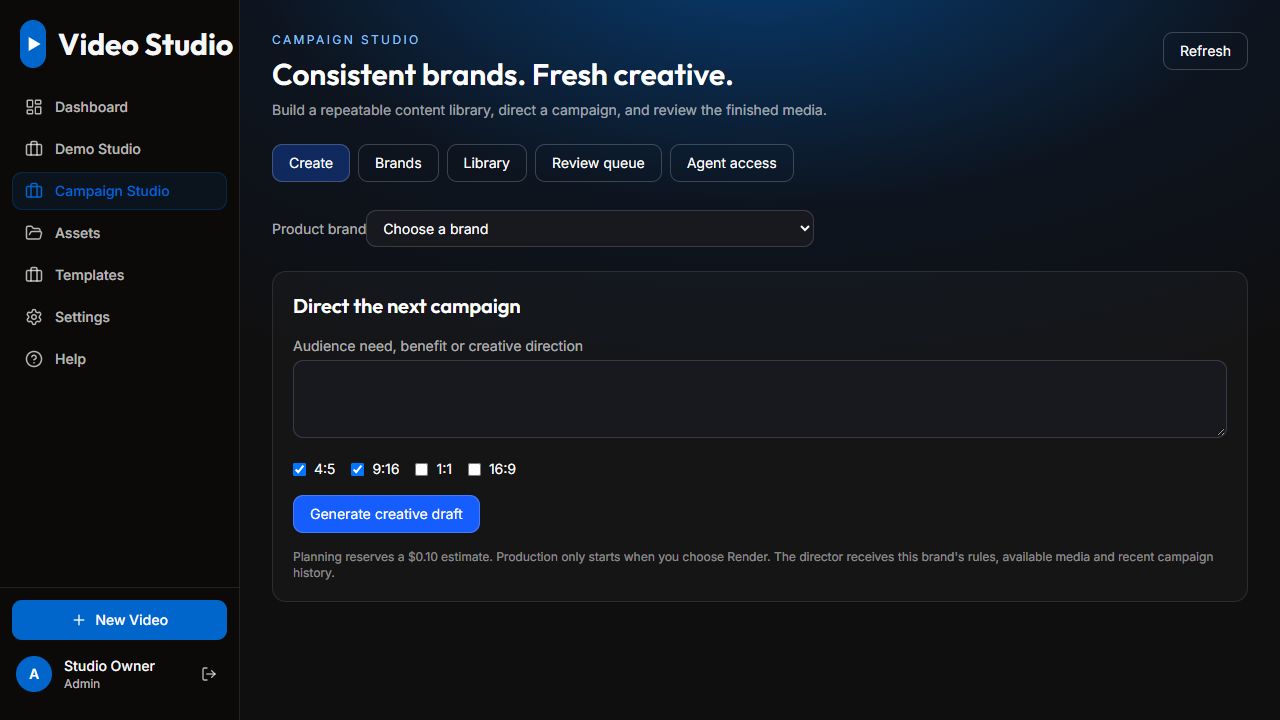
Personal and internal project. Screens show the actual interface with personal information removed or replaced with sample data.
From our workshop
This project is part of the work behind K2: practical software shaped around a real routine, community, or creative need.
Explore more from K2